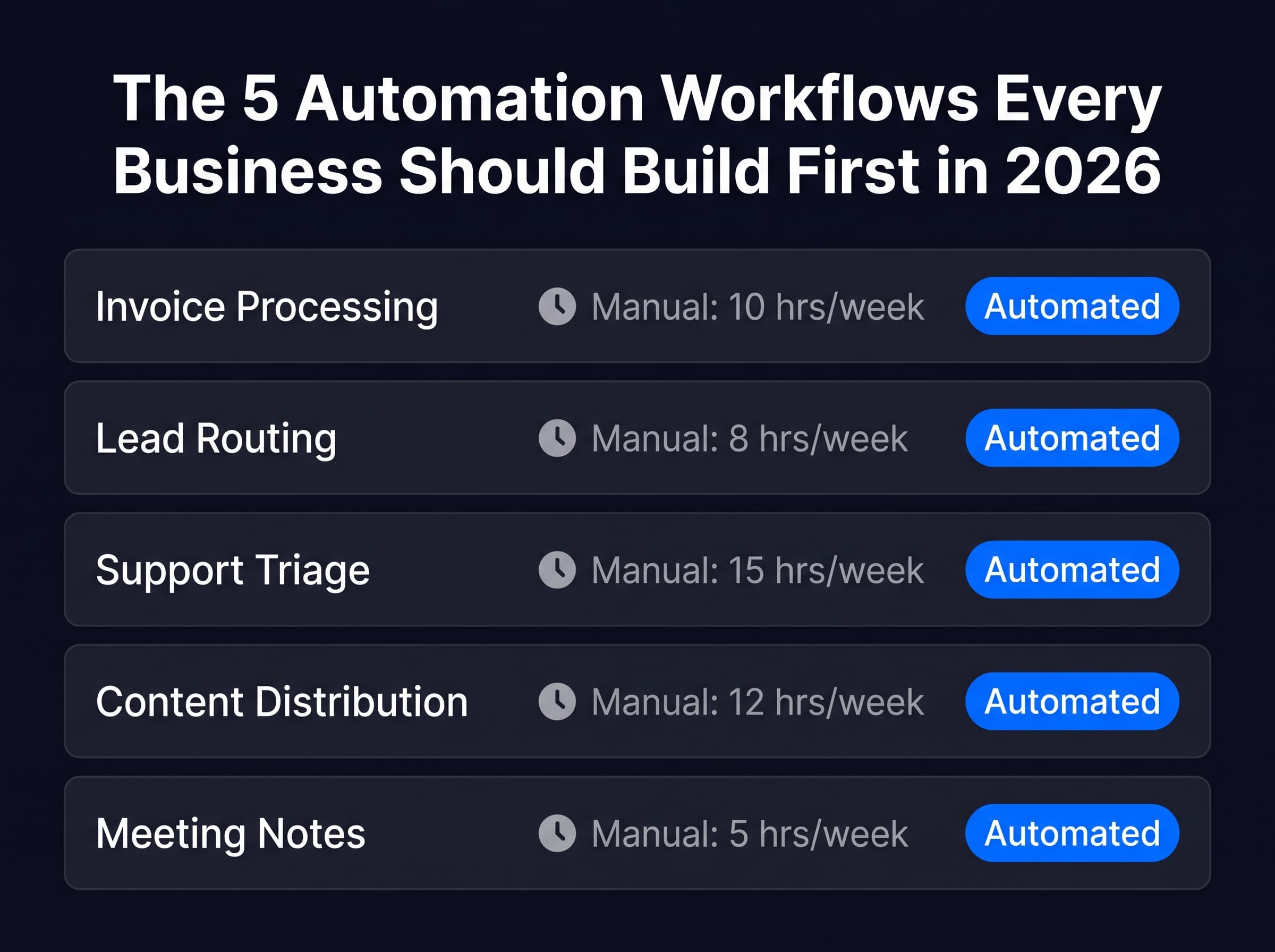
Not all automation workflows are equal. These five have the highest documented ROI, the clearest implementation path, and the fastest payback periods of any automation a business can build in 2026.
Why Starting With the Right Workflow Changes Everything
Most businesses that fail to achieve strong automation ROI made the same mistake: they started with the wrong workflow.
They automated something that was interesting rather than something that was expensive. They chose a low-volume process because it felt safe. They picked a complex workflow before they had the skills to build and maintain it reliably.
The highest-ROI automation workflows share a specific profile: high volume, clearly defined inputs and outputs, consistent rules, and a measurable current cost in human time. The five workflows below all share that profile and have the documented results to prove it.
Workflow 1: Invoice Processing and Data Extraction
Why It Has the Highest ROI Profile
Invoice processing is the single automation workflow with the most consistent ROI documentation across business sizes and industries. The inputs are structured documents. The desired output is structured data in a defined destination. The rules are consistent. The volume is high enough to matter. The error cost of manual processing — late payments, missed discounts, data entry mistakes — is measurable and significant.
What the Workflow Does
An incoming PDF invoice triggers the workflow via email attachment detection or a watched folder. An AI document processing node extracts the key fields: vendor name, invoice number, date, line items, total, and payment terms. A validation node checks that all required fields are present and within expected ranges. Matched invoices are written directly to the accounting software or spreadsheet. Unmatched or flagged invoices are routed to a human review queue with the extraction result and the original document attached.
What It Replaces
Manual data entry of invoice fields into an accounting system. For a business processing 30 to 80 invoices monthly, this workflow saves 3 to 6 hours per month of focused data entry work and eliminates the transcription errors that occasionally cause payment disputes.
Invoice processing automation delivers 400 to 1,000% ROI in documented small business implementations, driven by error reduction combined with time savings.
How to Build It in n8n
Use the Gmail or IMAP trigger node to watch for emails with PDF attachments. Extract the PDF with the Read Binary Files node. Send the PDF content to an AI processing node using Claude or GPT with a system prompt that specifies the exact fields to extract and the JSON structure to return. Validate extracted fields with an IF node. Write to Google Sheets, Airtable, or your accounting API using the appropriate node.
Workflow 2: Lead Routing and Qualification
Why It Has a Strong ROI Profile
Inbound leads that are not routed and followed up within the first hour have dramatically lower conversion rates than leads contacted immediately. For most businesses, manual lead routing introduces delays of hours to days. Automation eliminates that delay entirely.
What the Workflow Does
A new lead arrives from a web form, a social media ad, or a third-party source. The workflow enriches the lead with additional company and contact data using an enrichment API. A scoring node evaluates the lead against defined qualification criteria and assigns a priority score. Based on the score, the workflow routes the lead to the appropriate team member or sequence, creates a CRM record with all enriched data populated, and triggers a personalized outreach message within minutes of the lead arriving.
What It Replaces
Manual review of inbound leads, manual CRM data entry, manual routing decisions, and delayed outreach. For a business receiving 50 or more inbound leads monthly, this workflow recaptures significant revenue that was previously lost to slow follow-up and inconsistent routing.
How to Build It in n8n
Use a Webhook node to receive lead data from your form provider. Send to a HTTP Request node connected to a lead enrichment service. Pass enriched data to an AI scoring node with a system prompt that evaluates against your qualification criteria and returns a score and routing decision. Use Switch node to route based on score. Connect to your CRM node (HubSpot, Salesforce, or Airtable) to create the record. Trigger an email sequence via Gmail or your email provider node.
Workflow 3: Customer Support Triage and Draft Response
Why It Has a Strong ROI Profile
Support triage is high-volume, largely repetitive, and directly affects customer experience. AI-driven support agents handle 40 to 60 percent of inbound support inquiries without human intervention in well-built implementations. For the inquiries that require human handling, a draft response with relevant context cuts average handle time significantly.
What the Workflow Does
An incoming support email or ticket triggers the workflow. A classification node categorizes the inquiry by type and urgency. For inquiries matching defined categories with clear resolution paths, the workflow generates and sends a response automatically. For inquiries requiring human judgment, the workflow drafts a response with the relevant customer history attached, routes it to the appropriate agent, and flags it for review before sending.
What It Replaces
Manual reading, categorization, and response drafting for every inbound support inquiry. For a business handling 100 or more support contacts monthly, this workflow can realistically eliminate 40 to 60 hours of monthly support effort while improving response time from hours to minutes.
How to Build It in n8n
Use the Gmail or IMAP trigger. Pass the email content to a Claude AI node with a classification system prompt that returns the category and urgency as structured JSON. Use a Switch node to route based on category. For auto-resolvable categories, use a Claude node with a response system prompt and connect to the Gmail send node. For human-review cases, write the draft and customer context to a Notion database and send an internal alert to the relevant team member.
Workflow 4: Meeting Notes to Action Plans
Why It Has a Strong ROI Profile
The time between a meeting ending and action items being clearly assigned and tracked is where most meeting value is lost. Participants remember different things. Action items go unrecorded. Follow-up happens inconsistently. An automated meeting notes workflow eliminates this gap entirely.
What the Workflow Does
A meeting recording or transcript triggers the workflow. An AI processing node extracts decisions made, action items with suggested owners, open questions requiring follow-up, and a one-paragraph executive summary. The structured output is written to a Notion page, a project management tool, or sent directly to participants via email. Calendar reminders for each action item deadline are created automatically.
What It Replaces
Manual note-taking during meetings, manual action item extraction after meetings, and the follow-up process of distributing notes and chasing action item completion. For a business running 10 or more meetings per week, the cumulative time saving is significant.
How to Build It in n8n
Use a Webhook node triggered by your meeting tool (Fireflies, Otter, or Zoom) when a transcript is ready. Pass the transcript to a Claude node with a system prompt specifying the exact structured output format you need. Write the structured output to Notion using the Notion node. Create calendar events for action item deadlines using the Google Calendar node. Send a summary email to participants using the Gmail node.
Workflow 5: Content Distribution and Repurposing
Why It Has a Strong ROI Profile
Creating content once and distributing it across multiple platforms manually is one of the highest-effort, lowest-skill tasks in most content operations. It is exactly the profile automation performs best on: repetitive, rule-based, high-volume, and time-consuming relative to the creative value it adds.
What the Workflow Does
A completed blog post, newsletter, or long-form content piece triggers the workflow. An AI adaptation node generates platform-native versions for each target channel — a short-form Twitter thread, a professional LinkedIn post, a curiosity-gap Pinterest description, a hook-first Threads caption — each following the specific format, length, and tone conventions of that platform. All versions are delivered to a review document or scheduling tool with publish-ready formatting.
What It Replaces
Manually reading a piece of content and rewriting it for each platform. For a business publishing two to four pieces of long-form content per week, this workflow saves 3 to 6 hours of distribution work weekly and produces more platform-consistent output than the manual process typically delivers.
How to Build It in n8n
Use a Webhook node triggered when a post is published, or a manual trigger for batched processing. Pass the full article content to a Claude node with a system prompt that specifies all required platform versions and their exact format requirements. Structure the output as JSON with one field per platform. Write each version to the appropriate field in a Google Sheet or Notion database. Optionally connect to scheduling tools via their APIs for direct publish queue integration.
The Sequencing That Maximizes ROI
Build these five workflows in the order presented above, not simultaneously.
- Invoice processing is the right first workflow because it is the simplest technically, the most document-able in terms of results, and the most compelling proof of concept for anyone who needs to justify continued automation investment.
- Lead routing is the second because it has the highest potential revenue impact and creates the business case for investing in more complex workflows.
- Support triage is third because it requires more sophisticated AI classification and benefits from the system prompt experience built during the first two workflows.
- Meeting notes is fourth because it has more variability in input format and requires more careful output validation work.
- Content distribution is fifth because it requires the most nuanced AI adaptation prompting and benefits from the full accumulated experience of the previous four builds.
Each workflow builds the skills, confidence, and documented results needed for the next one.
For complete n8n workflow templates for each of these five automations with system prompts, node configurations, and error handling already built in, visit autonobots.estorealm.com.
Frequently Asked Questions
How long does it take to build each of these workflows in n8n?
Invoice processing and meeting notes take approximately 3 to 5 hours each for a builder comfortable with n8n basics. Lead routing and support triage take 5 to 8 hours due to the CRM integrations and routing logic. Content distribution takes 2 to 4 hours because the AI adaptation prompt is the main variable and n8n's side is straightforward. All estimates assume you are building from scratch without a template.
Do I need API access to all these tools to build these workflows?
Yes. Each workflow requires API credentials for the services it connects to. Most services provide API access on their standard paid plans. Budget time for reading each service's API documentation and testing authentication before building the workflow logic. API authentication is consistently the most time-consuming part of building a new integration in n8n.
What happens when an AI node returns an output that does not match the expected format?
Add a validation step after every AI node that checks the output structure before passing it to the next step. If the output does not match the expected format, route to a fallback path that logs the raw output and sends an alert rather than propagating the malformed data forward. Claude and GPT are reliable at following structured output instructions but not perfectly reliable. The validation step catches the occasional exception.
Can these workflows be connected to each other or do they need to be separate?
They can be connected. A common integration is connecting the lead routing workflow output to trigger the support triage workflow when an existing customer submits a new inquiry. Or connecting the meeting notes workflow to automatically add generated action items to the same project management system that the lead routing workflow writes to. Build each one standalone first, then connect them once each is running reliably independently.
Is n8n the right platform for all five of these workflows?
n8n handles all five well. For invoice processing, Zapier or Make are also viable if the volume is low and the additional per-task cost is acceptable. For lead routing, HubSpot Workflows is a strong alternative if your business is already fully in the HubSpot ecosystem. For content distribution specifically, n8n's flexibility with Claude API integration makes it the strongest option for high-quality platform-native adaptation. The choice ultimately depends on your existing tool stack and volume requirements.
This article is for educational purposes only. Workflow implementation complexity and ROI outcomes vary significantly based on existing systems, data quality, and implementation approach. Results cited are drawn from published industry research.
More from Autonobots
The Multi-Agent System Architecture Every Builder Needs to Understand in 2026
Single agents hit a ceiling. Multi-agent systems — where a coordinator delegates to specialized workers — remove that ceiling. Here is the exact architecture and how to build it in n8n without custom code.
The Real ROI of AI Automation for Small Businesses in 2026 (With Actual Numbers)
AI automation delivers a median 300 percent ROI over three years for businesses that implement it well. But 20 percent of adopters capture 75 percent of the gains. Here is what separates the winners from everyone else.
The next autonobots essay in your inbox.
One careful letter, every Sunday. Free.